Systems Performance
Engineering Case StudyPeekbar
Native Windows tool that keeps minimized browser tabs visible in the taskbar gap, with a measured rewrite of the tab-activation path.
Median activation 539 ms → 95 ms
- My Contribution
- Built shell tool and profiler; traced latency, redesigned activation, and measured the change.
- Project Status
- Working Windows 11 release
The Problem
Minimizing a browser hides the tabs inside it. Peekbar leaves a glanceable set of tab chips in unused taskbar space, so a user can find and restore the tab they need.
Finding the Bottleneck
Tab activation felt slow. I built a separate ETW profiler and dashboard, then traced the dominant cost to a UI Automation tree walk on the activation path.
Changing the Path
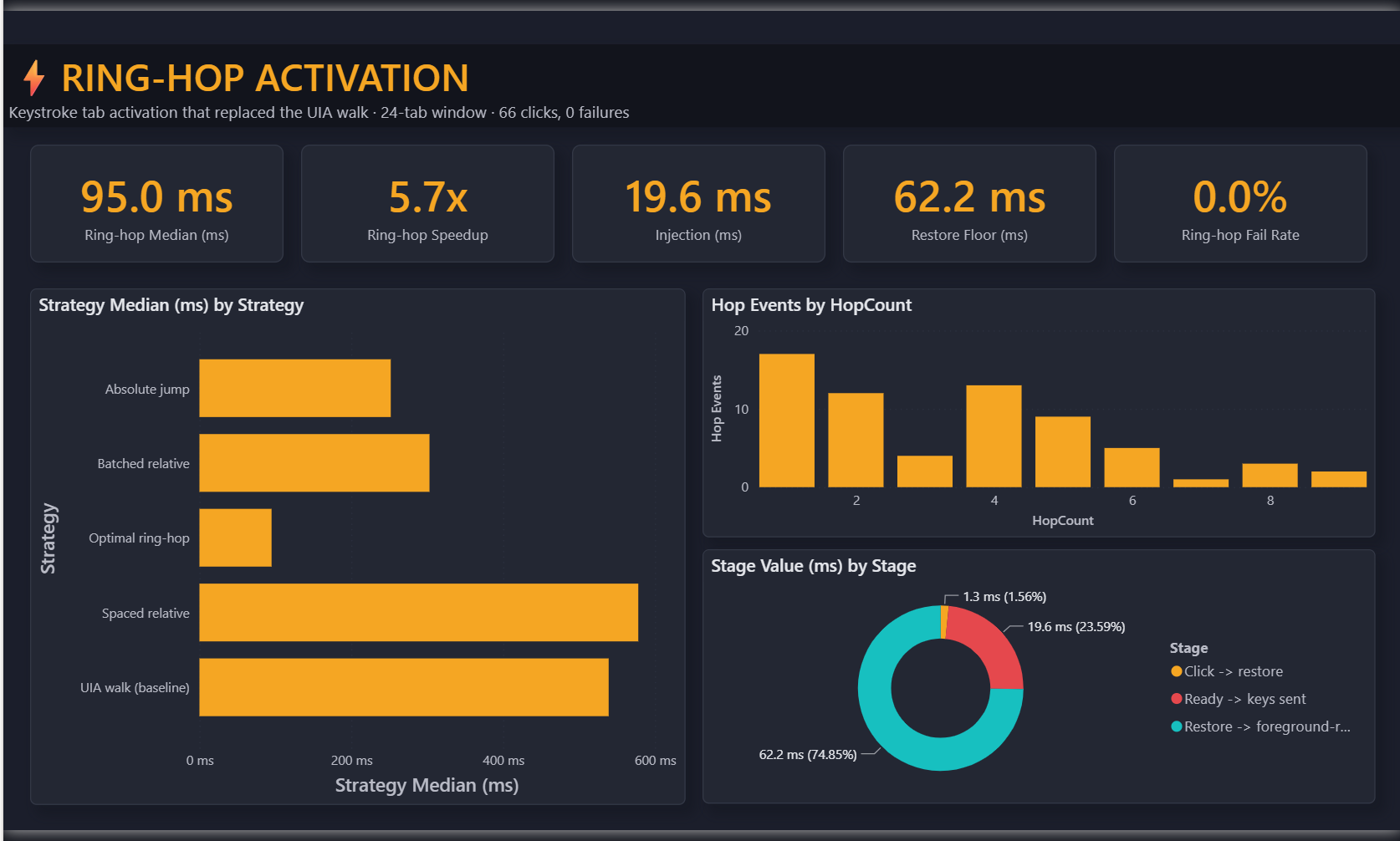
A ring-hop planner computes the shortest keyboard sequence to the target tab and sends it through one batched SendInput. Activation skips the UI Automation walk; UI Automation still supplies tab information elsewhere.
Median activation dropped from 539 ms to approximately 95 ms, a 5.7× speedup. The injection step dropped from roughly 137 ms to 20 ms.
Measurement Scope
The displayed ring-hop capture used a 24-tab window and recorded 66 clicks with no observed failures. It demonstrates the improvement on that workload, not a universal latency guarantee. Repository keeps earlier profiling runs and the separate profiler for inspection.